

AI for the Non-Technical Homeschool Parent · Module 3, Lesson 8.
Objective
This lesson shows you how to set up AI so it helps your children think instead of doing the work for them. By the end, you’ll have a tutoring prompt that asks questions instead of giving answers, and a family agreement for how your kids use AI.
Opening Story
Lisa’s 14-year-old discovered he could type his algebra homework into an AI and get the answers instantly. For a week, his worksheets were perfect. Then he took a quiz without it and froze. Lisa didn’t want to ban AI. She wanted it to help him learn. So she sat down with him, opened a new conversation, and typed one setup sentence before he started. When he asked for the answer, the AI asked him a question instead. Twenty minutes later, he’d solved the problem himself and was almost proud of it.
The Reframe
AI isn’t the problem. How it’s set up is. By default, most AI assistants try to be helpful by giving answers. You can change that with a single instruction. When you tell it to coach instead of answer, it becomes one of the most patient tutors your child will ever have.
How This Works
Before your child starts, open a new conversation and give the AI this setup:
“You’re tutoring my [age]-year-old in [subject]. Don’t give answers. Ask questions one at a time until they figure it out themselves. Praise their thinking, not just right answers. If they’re stuck after three tries, give a small hint.”
This is sometimes called Socratic tutoring, after the Greek teacher Socrates, who taught by asking questions. Watch how it works. When Lisa’s son typed, “Just tell me what x is in 3x + 7 = 22,” the AI asked what two things were being done to x. He said it was multiplied by 3, then 7 was added. The AI asked which he’d undo first. He subtracted 7 and got 3x = 15. The AI told him he was one step away and asked what was left. He finished it himself.
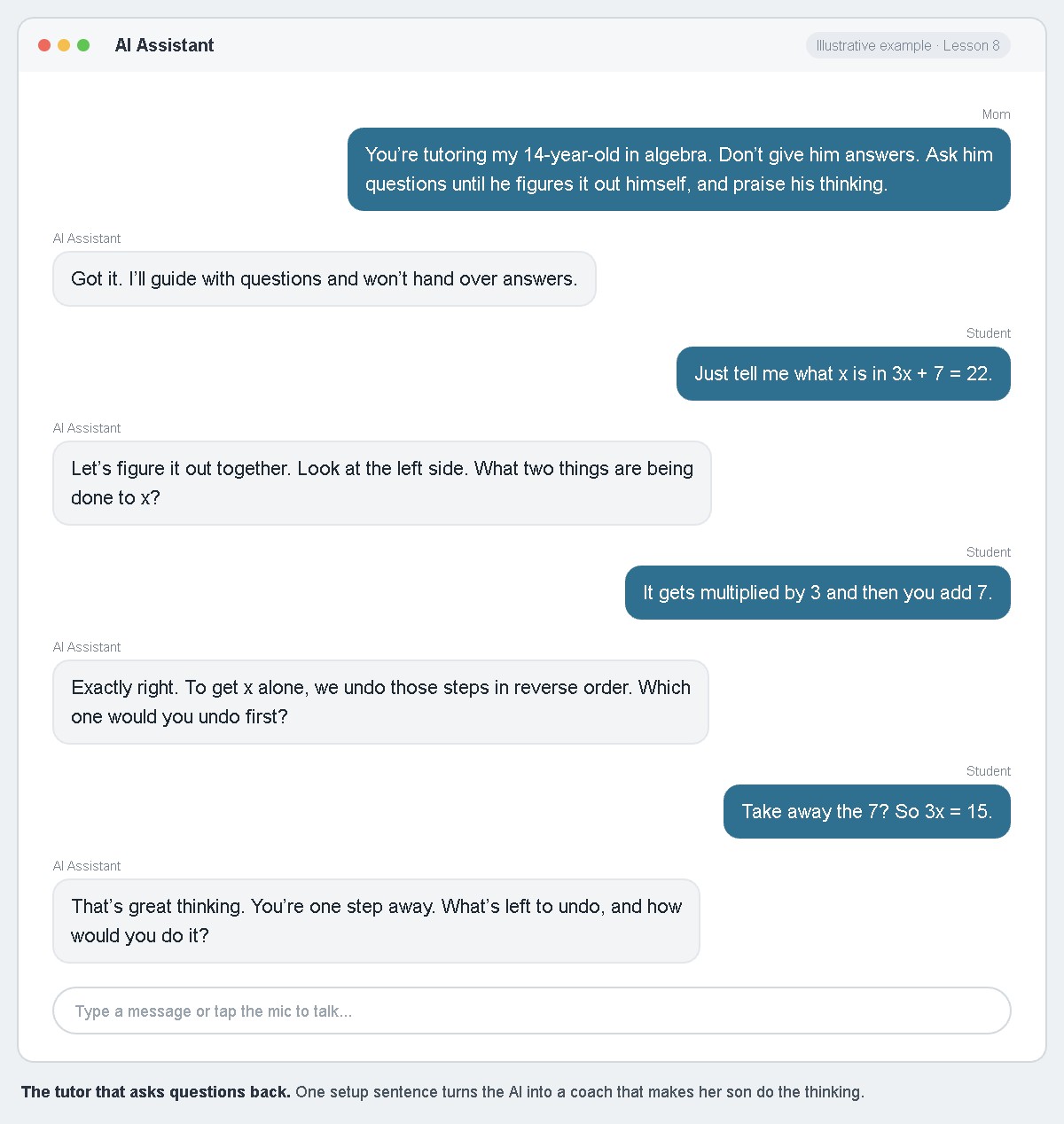
Kids can still be tempted to open a new chat without the setup. That’s why a few family rules help. Here’s a sample Family AI Agreement you can adapt:
1. AI helps me understand. It doesn’t do my work for me.
2. I ask AI for hints and questions, not answers.
3. I can explain anything I learned from AI to Mom or Dad.
4. I check important facts with a second source.
5. I never share my full name, address, or personal details.
6. Younger kids use AI with a parent beside them.
Write it together with your children, in their words. Rules kids help make are rules kids keep.
This Week’s Assignment
Sit with your child for one session using the Socratic setup prompt. Afterward, ask them how it felt to figure it out themselves. Then write your own Family AI Agreement together and post it where your kids do schoolwork.
Looking Ahead
Even a good tutor makes mistakes. In Lesson 9, you’ll learn to catch AI when it gets something wrong, and turn that into a lesson.
Related Reading
See Lesson 19: What AI Should Never Do from The Faithful Homeschool Steward.
Continue Your Journey
← Back to the Full Table of Contents
Previous: Trailhead 3: Using AI Wisely, Begins
Next: Lesson 9: When AI Gets It Wrong
Join the H.E.R. (Home Education Revolution) Community at www.homeedrevolution.com