

← Back to the Confident Teacher curriculum map
← Previous: When Curriculum Isn’t Working | Next: How to Make Peace With Different Education Paths for Siblings →
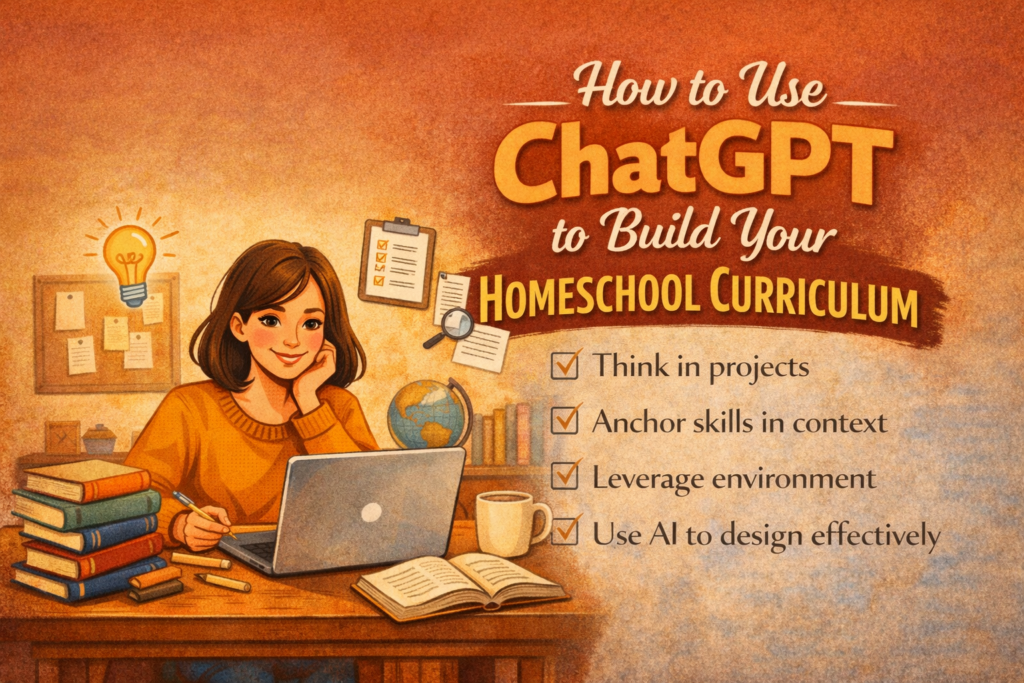
A Step-by-Step Walk Through the Process
This question came in from a member of our Parent Chat community. It’s such a good one that we wanted to answer it here where everyone can find it.
A member asked:
“Can you use ChatGPT to generate curriculum, and if so, can you be walked through the process?”
The short answer is yes — and it might be one of the most practical things you can do with AI as a homeschool parent. But the longer answer matters, because how you use it makes all the difference.
Let’s walk through it together.
First, What ChatGPT Actually Is in This Context
Think of it less like a curriculum publisher and more like a really well-read planning partner who is available at midnight and never gets tired of your questions.
It won’t replace your judgment. It won’t know your child the way you do. And it shouldn’t be handed the wheel and left unsupervised.
But for the part of homeschooling that drains a lot of parents the fastest — the planning, the structuring, the “how do I turn this topic into actual lessons?” — it is genuinely excellent. And once you see how it works, you’ll wonder how you planned without it.
One Small Thing Before You Start
If you’ve never used ChatGPT before, or you’re still finding your footing with it, our AI beginner guide is worth five minutes of your time first: 👉 Intro to AI for Homeschool Parents
If you’re already comfortable, keep reading.
The Process, Step by Step
Here’s a workflow you can use and repeat any time you want to build a unit or lesson plan from scratch.
Step 1: Define the Scope
Start broad. Tell ChatGPT what subject, what age, what topic, and what you want the unit to include. This is your foundation prompt.
Copy and paste this:
Help me create a curriculum unit for [subject] for a [grade or age] student that covers [specific topic]. Please include:
- Learning goals
- Essential questions
- Daily or weekly activities
- Assessment ideas
Example in practice:
“Help me create a 4-week science curriculum for a 3rd grader about ecosystems. Include learning goals, essential questions, daily activities, and assessments.”
ChatGPT will return a structured unit plan. It won’t be perfect — but it will be a real starting point in about thirty seconds, which is a very different experience than staring at a blank page.
Step 2: Expand the Details
Once you have the overview, zoom in on whichever week or lesson you’re teaching next.
Copy and paste this:
For week [X], lesson [X] of this unit, provide step-by-step activities with materials needed, prep time, and estimated duration.
This turns a general outline into something you can actually teach tomorrow.
Step 3: Customize for Your Child
This is where homeschooling’s greatest advantage comes in — and where AI earns its keep.
If you have multiple children, or a child with a specific learning style, you don’t have to rebuild the whole plan. Just ask ChatGPT to adapt it.
Copy and paste this:
How can I modify these activities for a child who learns best through movement? And for a child who prefers reading and discussion?
Same unit. Different entry points. Done in minutes.
Step 4: Build In Assessment
Assessment doesn’t have to mean a quiz. And for most homeschool families, the most meaningful measures of learning aren’t tests at all.
Copy and paste this:
Provide ideas for assessing mastery of these goals that are hands-on and non-traditional.
You might get back a science poster, a mini-presentation, a working model, a reflection journal, or a simple demonstration. Pick whichever fits your child and your season.
Step 5: Add the Supporting Materials
Once the structure is in place, you can ask ChatGPT to fill in the edges — the vocabulary lists, discussion questions, games, worksheets, and daily check-ins that make a unit feel complete.
Copy and paste this:
Provide 10 comprehension questions for this reading assignment.
Or:
Create a vocabulary list, two review games, and three journaling prompts for week 1 of this unit.
Each of these is a separate prompt, and each one takes about a minute. What used to take an afternoon of planning now takes a focused hour — or less.
A Full Example You Can Use Right Now
Here’s a complete five-prompt sequence for a language arts unit. Copy and paste these in order, one at a time, into ChatGPT:
Prompt 1 — Build the Unit Create a 6-week language arts curriculum for a 5th grader focusing on paragraph writing. Include goals, weekly themes, daily activities, and assessments.
Prompt 2 — Expand the First Week Expand week 1 with detailed daily lesson activities, materials needed, and time estimates.
Prompt 3 — Adapt for Your Child Modify these lessons for a child who struggles with writing but excels in talking and listening.
Prompt 4 — Add Supporting Materials Provide a vocabulary list, two practice games, and daily writing prompts for week 1.
Prompt 5 — Wrap Up With Assessment Give me 3 assessment options for the end of week 6 that demonstrate mastery without using a traditional test.
Run through those five prompts and you’ll have a complete, customized, six-week language arts unit — built around your child, your pace, and your family’s approach.
What This Doesn’t Replace
It’s worth saying clearly: AI doesn’t replace you.
You are still the one who knows when your child is frustrated versus bored. Who decides what gets kept, adapted, or thrown out entirely. Who notices the moment something clicks — and the moment it doesn’t. Who provides the encouragement that makes a hard day feel survivable.
AI handles the structure and the scaffolding. You handle the relationship and the judgment.
That’s not a limitation of the tool. That’s actually the best possible division of labor.
Have You Tried This?
Have you used ChatGPT for curriculum planning yet? What worked, what didn’t, or what would you want to try first?
Bring it to the Parent Chat — this is exactly the kind of conversation that helps everyone move forward a little faster.
New to AI tools entirely? Start with our beginner guide before you dive in: 👉 Intro to AI for Homeschool Parents
← Back to the Confident Teacher curriculum map
← Previous: When Curriculum Isn’t Working | Next: How to Make Peace With Different Education Paths for Siblings →